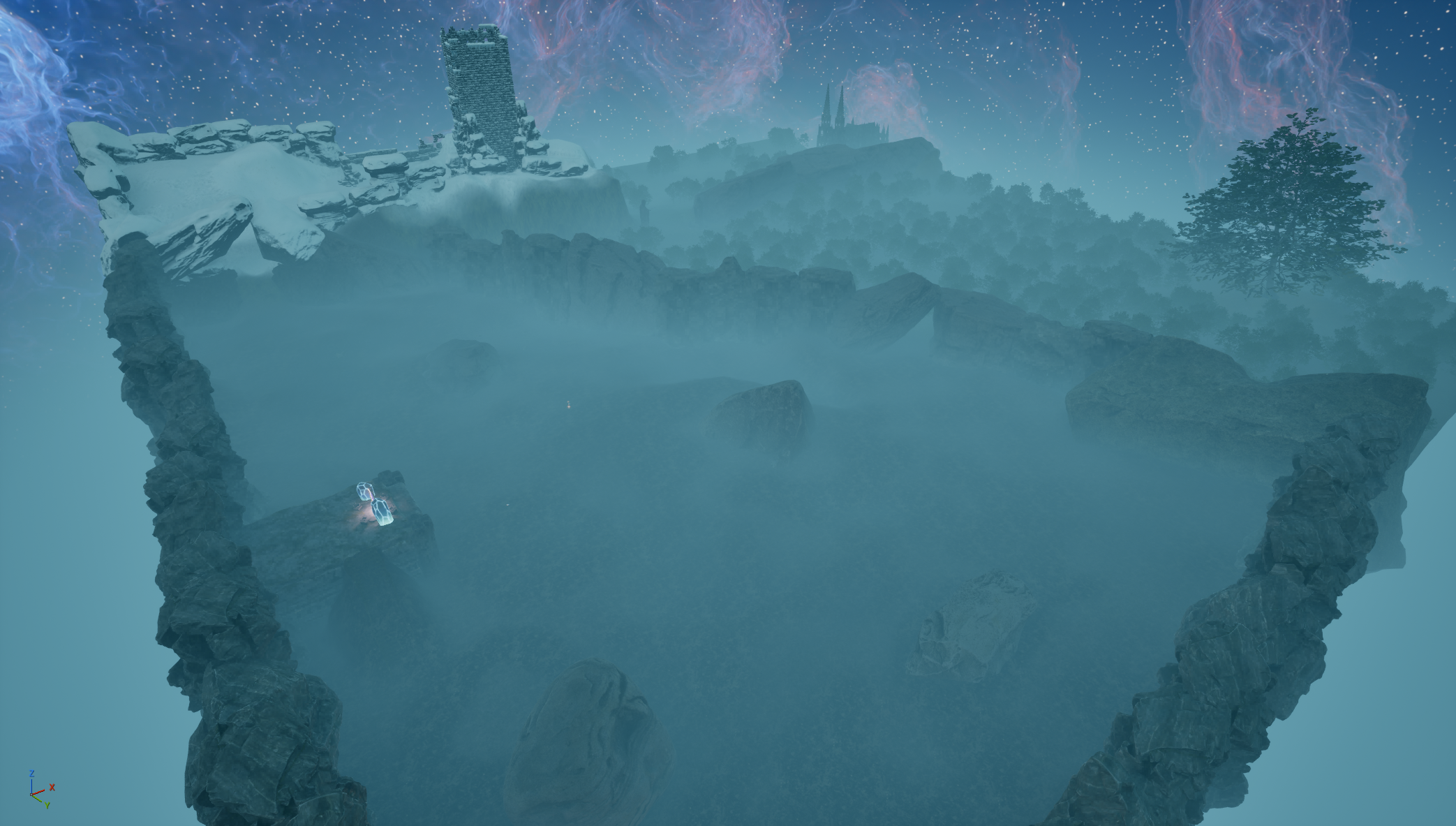
This is a project I started to learn the basics of Unreal Engine. I want the ability to make prototypes whenever I need. My goal for this project is to make a short compelling game while only providing enough direction and lore for the player to complete their objective of escaping this fractured world. I am taking inspiration from games in the Soulslike and Metroidvania genres. I am incorporating methodologies such as building the level more vertically to add a sense of depth and scale as well as paths that are inaccessible when initially encountered. Since I decided to go with a lighter touch when directing players throughout the level, I'm relying on landmarks placed in specific locations to guide the player. This project is in active development and I will continue to update this page as more progress is made. My intention is to have a fully playable demo available for download here.
Next Steps
The next items on the list are to place an underground dungeon section that links the forest area to the town. Once this is complete, I will populate each section with unique enemies.
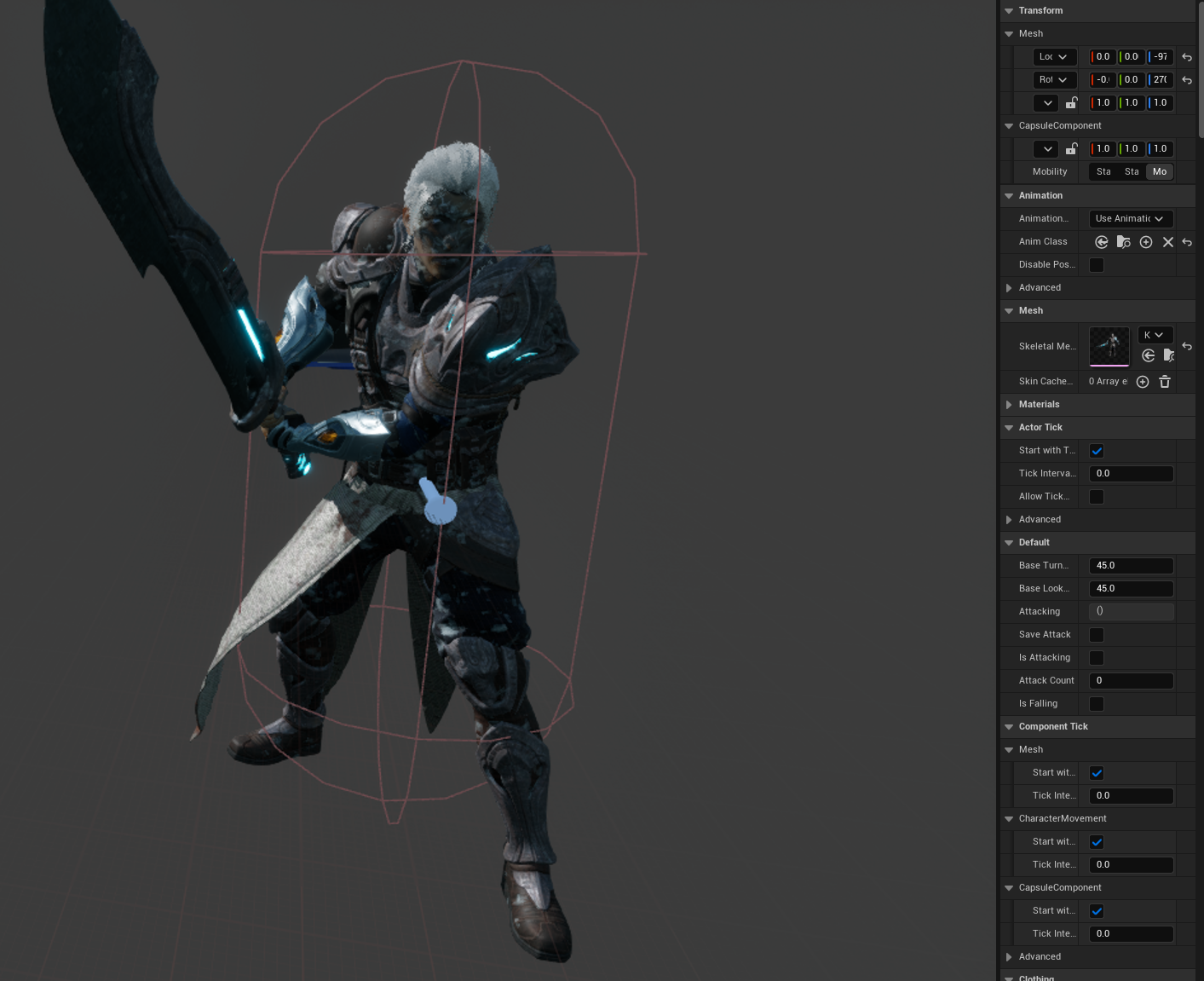
After the initial landscape was completed, the next thing I tasked myself with was replacing the preset character with a new one that matched the look of the game. For ease of use I decided to go with a Paragon character from the Fab store. After replacing the skeletal mesh with the new Paragon hero, I moved onto the animation blueprint. This hero was initially made for an older version of Unreal so I first had to delete the functions for movement and camera controls. I used the input actions from the default mannequin to rig up movement for the new hero. I was able to keep the attack nodes that came with the stock animations. Finally, for the sake of debugging I added a sprint function with a speed 2000. This allows me to run around the level quickly.
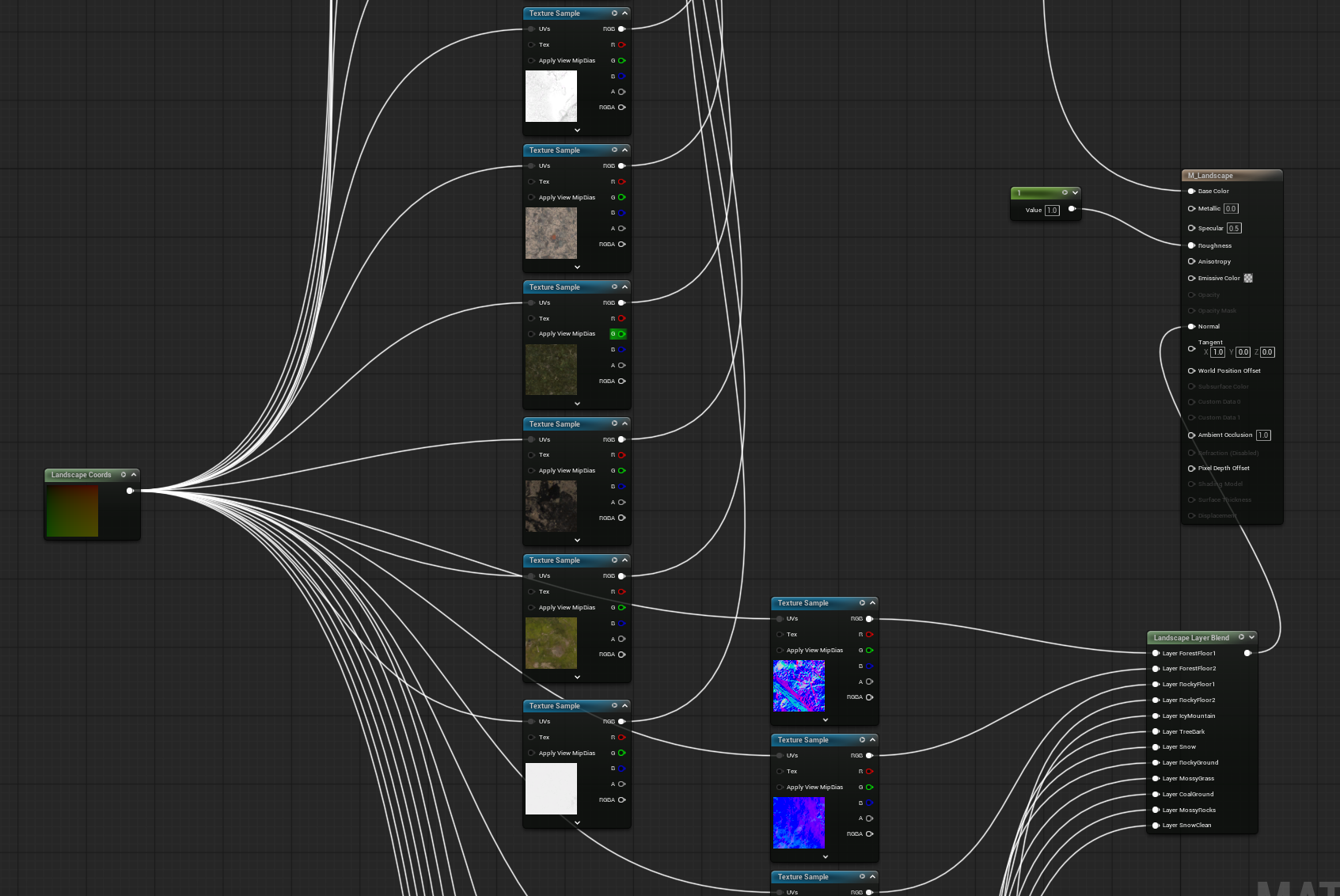
My intention for this level is for it to appear as a fractured world. To achieve this I downloaded several materials that I felt would best represent the four different biomes that I am trying to achieve. I created a landscape material and placed all of my selected textures inside, along with their normal maps. After getting everything connected to the landscape material and painting it onto the level, I noticed that they were all too small and if the player was high up enough they would be able to see the texture tiling. To fix this I went back into the landscape material and placed a Landscape Coordinate node and linked it to the UV input of each texture. With this I was able to control the scale of all the textures with a simple numerical value.
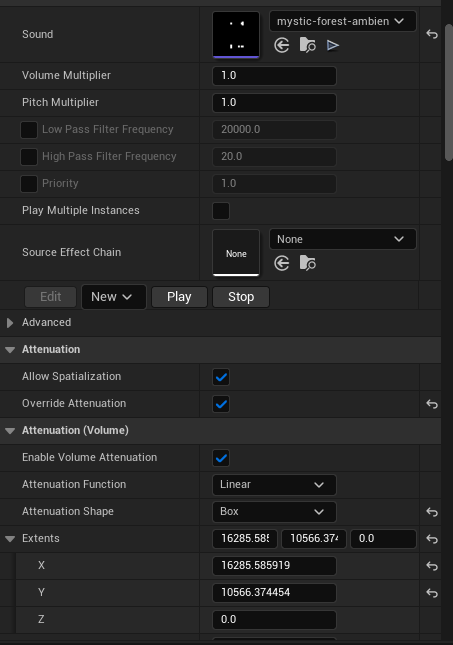
To create the proper atmosphere for each section of the game, proper music and sound effects are a must. In order to achieve this I placed various ambient audio files around the level. Getting them to trigger when the player enters the correct area was a little bit of trial and error until I found the Attenuation Shape setting that allows for different hitbox shapes.